Object-Oriented Programming in Java
What is a Programming Paradigm?
A programming paradigm is basically a style of writing programs. It tells you how to organize code, solve problems, and think as a programmer. It also defines how data is handled and how instructions are structured. The most common programming paradigms are:
- Object-Oriented Programming: A way of writing code in which a program is divided into objects. Objects combine data and behavior. For example, C++, Java, and C# are common object oriented programming languages.
- Procedural Programming: A programming style where a program is divided into functions and runs step-by-step from top to bottom. For instance, C and FORTRAN are common procedural programming languages.
Java Features
Java is a high-level, object-oriented programming language developed by Sun Microsystems in 1995, and later acquired by Oracle.It has been a popular choice among developers for over two decades, with millions of Java applications in use today.The following are key features of java:
- Simplicity: Java is designed to be easy to learn and use, especially for developers familiar with C or C++. Because, in Java there is no pointer, it has automatic memory management, readable syntax, and a rich standard library.
- Platform Independent: A Java program written and compiled on one system can run on any other system without requiring any modifications, provided that the other system has a Java Virtual Machine (JVM) installed. This is because Java was created with the "Write Once, Run Anywhere" (WORA) principle. Cross-platform compatibility is made possible via the JVM, which serves as an interpreter between the compiled Java bytecode and the underlying operating system.Because, Java ensures consistency and eliminates the need to rewrite or recompile code for each environment, which is the perfect choice for developers working with many platforms, such as Windows, macOS, or Linux.
- Object-Oriented:The foundation of Java is object-oriented programming, which helps to structure software design around objects rather than logic and functions. Java completely supports the fundamental OOP ideas of encapsulation, inheritance, polymorphism, and abstraction. These characteristics improve scalability, facilitate testing and debugging, and allow the reuse of existing code. Java applications become more intuitive and easier to grow over time by representing real-world items as objects.
- Security: Security is a core aspect of Java’s design. The absence of direct memory access via pointers reduces the risk of buffer overflows and unauthorized memory access. Additionally, the Security Manager and Bytecode Verifier check code integrity before execution, providing strong protection. Java also uses sandboxing to isolate untrusted internet code, preventing it from affecting the host system.
- Multithreading Capability:allows a program to run several threads at once. and useful in high-performance and real-time applications.For example, processing user input while downloading a file. Java offers the Thread class, the Runnable interface, and tools from the java.util.concurrent package to manage threads.
- Robustness:Java is designed to be reliable and error-resistant. It eliminates manual pointer arithmetic and offers strong memory management. Java performs error checking at compile-time and runtime.Features like try, catch, and finally support controlled exception handling and makes Java ideal for mission-critical systems like Android apps or banking platforms.
- Distributed:Java supports distributed computing through technologies like RMI (Remote Method Invocation), allowing methods to run on remote machines. The java.net package provides built-in networking classes, making Java perfect for cloud services, enterprise systems, and IoT. For instance, a Java-based e-commerce app can communicate with remote databases, APIs, and payment gateways.
- Architecture Neutral:Java’s bytecode is platform-independent. It is executed by the JVM, which translates it into native machine code for the host system. This removes issues caused by variations in hardware architecture. Unlike platform-specific C/C++ binaries, Java bytecode can run on any system with a JVM, providing excellent portability and consistency.
Object-Oriented Programming Principles
are the core concepts of Object-Oriented Programming,which define how software is designed using objects and classes to make code reusable, secure, and easy to maintain.The following are common principles:
- Encapsulation
- Abstraction
- Inheritance
- Polymorphism
1. Encapsulation
is a way of wrapping data and methods into a single class.Using access modifiers,it protects data and prevents from direct access to internal details.For example,
class Student
{
    private int age;   // private instance variable
    public void setAge(int age)  // setter
	{
        this.age = age;
    }
    public int getAge()
	{
        return age;
    }
}
public class MainClass
{
    public static void main(String[] args)
	{
        Student s = new Student();
        s.setAge(25);
        System.out.println("Age:"+s.getAge());
    }
}
Output
Age: 25
2. Abstraction
Abstraction hides complex implementation details and shows only what is necessary to the user.For instance,
abstract class President
{
    abstract void doIt();
}
class VicePresident extends President
{
    void doIt()
	{
        System.out.println("Vice president can do");
    }
}
public class MainClass
{
    public static void main(String[] args)
	{
        President vp = new VicePresident();
        vp.doIt();
    }
}
Output
Vice president can do
3. Inheritance
Inheritance allows a class to acquire the properties and behaviors of another class.It provides a way to create a new clas by reusing the members of an existing class.Inheritance can be classified into different types:
- Single inheritance:happens when a class inherits from only a single class.
class Father
{
    void eat()
	{
        System.out.println("Father can eat");
    }
}
class Child extends Father
{
    void walk()
	{
        System.out.println("Child can walk");
    }
}
public class MainClass
{
    public static void main(String[] args)
	{
        Child c = new Child();
        c.eat();   // inherited method
        c.walk();  // own method
    }
}
Output
Father can eat
Child can walk
- Multilevel Inheritance: when there is a chain of inheritance, meaning a class inherits from a class that is already inherits from another class.
class Person
{
    void eat()
	{
        System.out.println("Person is eating");
    }
}

class Father extends Person
{
    void walk()
	{
        System.out.println("Father is walking");
    }
}
class Child extends Father
{
    void play()
	{
        System.out.println("Child is playing");
    }
}
public class MainClass
{
    public static void main(String[] args)
	{
        Child p = new Child();
        p.eat();    // from person
        p.walk();   // from Father
        p.play();   // from Child
    }
}
Output
Person is eating
Father is walking
Child is playing
- Hierarchical Inheritance: This type of inheritance occurs when two or more classes inherit from a single class.
class Person
{
    void play()
	{
        System.out.println("person is playing");
    }
}
class Employee extends Person
{
    void see()
	{
        System.out.println("Employee is watchin");
    }
}
class Student extends Person
{
    void learn()
	{
        System.out.println("Student is learning");
    }
}
public class MainClass
{
    public static void main(String[] args)
	{
        Employee c = new Employee();
        Student b = new Student();
        c.play();   // inherited from Person
        b.play();   // inherited from Vehicle
    }
}
Output
person is playing
person is playing
- Multiple Inheritance: Occurs when a class inherits from more than one class.Java does not support multiple inheritance through classes to prevent ambiguity issues, such as the diamond problem. However,multiple inheritance can be achieved using interfaces, allowing a class to implement multiple interfaces simultaneously.
interface Department
{
    void manage();
}
interface College
{
    void control();
}
class University implements Department, College
{
    public void manage()
	{
        System.out.println("Department will manage");
    }
    public void control()
	{
        System.out.println("college will control");
    }
}
public class MainClass
{
    public static void main(String[] args)
	{
        University u = new University();
        u.manage();
        u.control();
    }
}
Output
Department will manage
College will control
- Hybrid Inheritance: It is a combination of two or more types of inheritance, such as single, multilevel, and hierarchical inheritance. In Java, hybrid inheritance cannot be implemented using classes alone, as this may lead to ambiguity. However, it can be achieved by combining classes and interfaces
class Person
{
    void run()
	{
        System.out.println("This is a person");
    }
}
class Teacher extends Person
{
    void walk()
	{
        System.out.println("This is a Teacher");
    }
}
class Student extends Teacher
{
    void learn()
	{
        System.out.println("This is a student");
    }
}
public class MainClass
{
    public static void main(String[] args)
	{
        Student sc = new Student();
        sc.run();   // From Person
        sc.walk();       // From Teacher
        sc.learn(); // From Student
    }
}
Output
This is a person
This is a Teacher
This is a student
4. Polymorphism
Polymorphism enables objects to act differently depending on their specific class type. The term comes from the Greek words poly (many) and morph (forms), meaning "many forms." For example, in real life, a person can take on different roles, such as a father, an employee, and so on.There are two main types of polymorphism in Java:
- Compile-Time Polymorphism: also known as Static Polymorphism,is implemented by using method overloading.
class Calculation
{
    void addition(int a,int b)
	{
	    int sum = a+b;
        System.out.println("The result is :"+sum);
    }
	void addition(double a,double b)
	{
	    float sum = a+b;
        System.out.println("The result is :"+sum);
    }
}

public class MainClass
{
    public static void main(String[] args)
	{
        Calculation c = new Calculation();
        c.addition(2,5);
		c.addition(2.8,5.9);
    }
}
Output
The Result is :7
The Result is :8.7
- Run-Time Polymorphism: also known as Dynamic Polymorphism,is implemented by using method overriding.
class Person
{
    void position()
	{
        System.out.println("i have a person position");
    }
}
class Father extends Person
{
    @Override
    void position()
	{
        System.out.println("i have a father position");
    }
}
public class MainClass
{
    public static void main(String[] args)
	{
        Person a1 = new Father();
        a1.position();
    }
}
Output
i have a father position
Java Virtual Machine, Byte Code and Code Execution in Java
Java is widely used programming language to build desktop applications, web applications, Android apps, and enterprise systems. Every Java program has a class defined using the class keyword, and includes attributes, constructors, and methods.When executing Java code, three main components are involved:
- Java Virtual Machine (JVM): A virtual engine responsible for running Java applications. Compiled Java code becomes platform-independent bytecode, which the JVM interprets or compiles into machine-specific code at runtime. This allows Java programs to run on any operating system with a JVM, following “write once, run anywhere.” The JVM also manages memory, garbage collection, and runtime optimization.
- Java Development Kit(JDK): is a complete toolkit used by developers to build Java applications.Running Java programs and Java compiler (javac) that converts source code into bytecode are part of java development kit. It also comes with various development tools like the jar utility for packaging, javadoc for generating documentation, and debugging tools. The JDK provides all the essential components needed to write, compile, and test Java code, making it a fundamental resource for Java developers.
- Java Runtime Environment (JRE): Designed for users who want to run Java applications but not develop them. It includes the JVM for executing bytecode and core libraries and APIs (like java.lang and java.util). The JRE also provides support files and tools for smooth execution. Since it lacks development tools, it is ideal for end users rather than programmers.
In general,here is the flow of java program execution flow
- The Java compiler compiles Java source code into .class bytecode files.
- This bytecode is platform-independent and can run on any system with a JVM.
- The bytecode is passed to the Java Virtual Machine.
- The JVM loads the class file into memory.
- During the linking phase, the bytecode is verified to check for memory and security violations.
- After verification and initialization, the JVM executes the program.
- During execution, the JVM interpreter or JIT compiler translates bytecode into machine-level instructions specific to the host system.
Java source code is initially compiled by the javac compiler into bytecode (.class) files. The Java Virtual Machine (JVM) then processes this bytecode, converting it into machine-level instructions that the CPU can execute. To install and configure Java, the following steps should be followed:
- Install the Java Development Kit (JDK): download it from oracle.com .
- Install an Integrated Development Environment (IDE): use editors such as Eclipse, NetBeans, or IntelliJ IDEA for Java development.
-
Set System Variables:
- Right-click on This PC and select Properties.
- Click on Advanced system settings.
- In the System Properties window, click on Environment Variables
- Under System Variables, locate and select Path, then click Edit.
- Click New and add the following paths:
- C:\Program Files\Java\jdk-18\bin
- C:\Program Files\Java\jre1.8.0_291\bin
- Click OK to save the changes
- Under System Variables, locate CLASSPATH, click Edit, and add the same paths:
- C:\Program Files\Java\jdk-18\bin
- C:\Program Files\Java\jre1.8.0_291\bin.
- Click OK on all open windows to apply the changes
-
Check Installation on using Command Prompt
java --version to check the installed Java Runtime Environment (JRE) and javac --version to check the installed Java compiler version
PATH is an environment variable that allows the operating system to locate executable programs, such as java and javac, enabling them to be run from any directory. CLASSPATH is an environment variable used by the Java ClassLoader to find user-defined classes, packages, .class files, and .jar files required during program execution.
You can run Java code using either a Command-Line Interface (CLI) or a Graphical User Interface (GUI).
During compilation,if you see the error like,"Could not find or load main class JavaPractice", try adjust the package declaration or make sure your PATH and CLASSPATH environment variables are properly configured.
- To compile multiple Java files: javac packagename\*.java
- To run the program:use packagename.ClassName with the one that contains the main method
Basics in Java Programming
Java is a class based, object-oriented programming language that is designed to be secure and portable. It works based on Write Once, Run Anywhere” (WORA) principle.
Basics Java Syntax
Every Java program is written using classes, methods, and statements, and all code must be placed inside a class. By convention, class names start with a capital letter, and Java is case-sensitive, meaning MyClass and myclass are considered different. The source file name must exactly match the class name and be saved with the .java extension. Java programs can be run using either a command-line interface or a graphical interface.
When running programs through the command line, errors such as “Could not find or load main class” may occur due to package declarations or incorrect environment variables; these issues can be resolved by adjusting the package statements and correctly setting the PATH and CLASSPATH system variables.
If multiple Java files are related, they can be compiled together using javac packagename\*.java, and The program should be executed using the class that contains the main() method, and the command format is java packagename.classname. Only the code inside the main() method is executed when the program runs. Curly braces {} are used to define code blocks, each Java statement must end with a semicolon, and methods like println() are used to display output on the screen.
Variables and Identifiers in Java
Both a variable and an identifier are names given by the programmer to represent an entity in a program. A variable is a name assigned to a memory location that stores a value, while an identifier is the name used to identify the variable, class, method, or any other user-defined item in the program.Variables can be:
- Local variable: A variable declared inside a method. It can only be used within that method, and other methods in the class cannot access it. Local variables cannot be declared with the static keyword.
- Instance variable: A variable declared inside a class but outside any method. Its value is specific to each object (instance) of the class and is not shared among objects. Instance variables are not declared static and are created when a class is instantiated.
- Static variable: A variable declared with the static keyword.It cannot be local. A single copy of a static variable is shared among all instances of the class. Memory for static variables is allocated once when the class is loaded, and they exist for the lifetime of the program.
public class Student
{
    String sex = "F";           // Instance variable
    static int id = 100;        // Static variable

    void hello(int age)      // Method parameter (local to method)
    {
        System.out.println("age: " + age);
    }

    public static void main(String args[])
    {
        int address = 50;          // Local variable
        Student s = new Student();
        System.out.println("Sex: " + s.sex);  // Accessing instance variable
        System.out.println("ID: " + Student.id);  // Accessing static variable
        s.hello(23);
        System.out.println("Address: " + address); // Accessing local variable of main
    }
}
Output
Sex: F
ID: 100
age: 23
Address: 50
Data types
A data type is an attribute of a variable that tells the compiler or interpreter how the programmer intends to use it. It defines the kind of values a variable can hold and the operations that can be performed on it. Based on their characteristics, data types are divided into two groups:
- Primitive Data Types: These are predefined by the programming language. They have a fixed size and type, and no additional methods are associated with them. For example, byte, char, short, int, long, float, double, boolean
- Non-Primitive Data Types: These are not predefined but are created by the programmer. They are also called reference types or object references because they store the memory address of the actual data. For instance,String, Arrays, Classes, Interfaces
Constants
A constant is a variable whose value cannot be changed once it has been assigned. To define a variable as a constant, we just need to add the keyword "final" in front of the variable declaration. It can be numeric constant,character constant,string constant,method constant or class constant. For example,if we declare id as final int id = 90, we can't put id=99 or other value.
Output and Input statements in java
Input statements are used to get data from the user, while output statements are used to display data to the user.Java has 3 streams for input and output such as
- To get input from the user, we use the Scanner class: Scanner scan = new Scanner(System.in); Here, System.in is an InputStream connected to the keyboard, which provides input to the Scanner object.
- System.out.println() is a PrintStream used to print normal output (text or values) to the console.
- System.err.println() is also a PrintStream, similar to System.out, but it is typically used to display error messages.
Type Conversion/Casting in Java
type casting is the process of converting a value from one data type to another. This conversion can happen either automatically or manually. Automatic conversion, also called type promotion, is performed by the compiler when it safely converts a smaller data type to a larger one. Manual conversion, also called explicit casting, is done by the programmer using parentheses to specify the target type.Generally,there are two types of type casting:
- Widening Type Casting: It is the process of converting a lower data type into a higher data type. It is also called implicit conversion because it is done automatically by the compiler. Widening is safe because there is no risk of data loss during the conversion. For example: byte → short → char → int → long → float → double. To check the size of each data type in Java, you can use constants such as Integer.BYTES, Character.BYTES, Float.BYTES, and so on. Even though float has a smaller size than long, the conversion from long to float is allowed in widening type casting because float has a larger numeric range than long.
public class Widening
{
    public static void main(String[] args)
	{
        int x = 7;
        long y = x;       // automatically converts int to long
        float z = y;      // automatically converts long to float
        System.out.println("Before conversion, int value: " + x);
        System.out.println("After conversion, long value: " + y);
        System.out.println("After conversion, float value: " + z);
    }
}
Output
Before conversion, int value: 7
After conversion, long value: 7
After conversion, float value: 7.0
- Narrowing Type Casting:is the process of converting a higher data type into a lower data type. It is also called explicit conversion because it must be done manually by the programmer using parentheses. If this conversion is not performed manually, the compiler will generate a compile-time error. An example conversion chain is: double → float → long → int → char → short → byte.
public class Narrowing
{
    public static void main(String[] args)
	{
        double d = 166.66;
        long l = (long) d;   // converting double to long (fractional part lost)
        int i = (int) l;     // converting long to int
        System.out.println("Before conversion: " + d);
        System.out.println("After conversion into long type: " + l);
        System.out.println("After conversion into int type: " + i);
    }
}
Output
Before conversion: 166.66
After conversion into long type: 166
After conversion into
Decision and Repetition Statements
Java provides decision and repetition statements to control program flow. Repetition (looping) statements allow a program to execute statements repeatedly as long as a condition (called the loop-continuation condition) remains true.Some of them are:
- Looping Statements: In Java, looping statements are used to execute a block of code repeatedly as long as a specified condition remains true. They help automate repetitive tasks and reduce code redundancy. The most common looping statements are while, do…while, for, and the enhanced for loop.
- Simple if Statement: In Java, a simple if statement is used to execute a block of code only if a specified condition is true. If the condition is false, the code inside the if block is skipped. It helps the program make decisions and execute certain actions conditionally.
- If…else Statement: In Java, an if…else statement is used to execute one block of code if a condition is true and another block if the condition is false. It allows the program to choose between two possible actions based on a condition.
- Nested if Statement: In Java, a nested if statement is an if statement placed inside another if or else block. It allows the program to test multiple conditions in a hierarchical manner, where the inner if is evaluated only if the outer if condition is true.
- Switch Statement: In Java, a switch statement is used to execute one block of code from multiple possible options based on the value of a variable. It provides a cleaner alternative to multiple if…else if statements when comparing a variable against several discrete values.
Classes and Objects
In Java, a class is a blueprint or template for creating objects. It defines the structure (fields) and behavior (methods) that the objects of the class will have. A class itself does not occupy memory, but memory is allocated when objects (instances) of the class are created.
Members of a class are the elements that define its structure and behavior. They include variables, such as local, instance, and static variables, which store data for the class. Constructors are special methods used to initialize objects when they are created. Methods define the actions a class can perform and consist of a signature (including return type), access specifiers, parameters, and any local variables used within the method. Methods can be either instance methods or static methods; static methods use the static keyword and can be called without creating an object of the class. Classes in Java can take different forms:
- Concrete Class: A regular class that provides full implementations of all its methods. It can be instantiated to create objects.
public class ConcreteClass
{
    int id;
    void displayDetails()
	{
        System.out.println("ID: " + id");
    }
    public static void main(String[] args)
	{
        ConcreteClass c = new ConcreteClass();
        c.id = 23;
        c.displayDetails();
    }
}
Output
ID: 23
- Abstract Class: An abstract class in Java is a class declared with the abstract keyword. It may or may not include abstract methods (methods without implementation). Abstract classes cannot be instantiated directly, but they can be subclassed by other classes. When a subclass extends an abstract class, it usually provides implementations for all the abstract methods inherited from the parent class. Abstract classes can also include concrete methods (with implementation) and serve as a base for code reuse and polymorphism.
abstract class AbstractClass
{
    int id;
    abstract void displayDetails();
    public static void main(String[] args)
	{
        AbstractClass a = new AbstractClass(); // This will cause an error
        ConcreteSubclass c = new ConcreteSubclass();
        c.id = 23;
        c.displayDetails();
    }
}
class ConcreteSubclass extends AbstractClass
{
    void displayDetails()
	{
        System.out.println("ID: " + id);
    }
}
Output
ID: 23
- Interface Class: An interface in Java is a collection of abstract methods and constants. A class implements an interface, thereby inheriting all its abstract methods. Writing an interface is similar to writing a class, but while a class defines the attributes and behaviors of an object, an interface defines only behaviors that a class must implement. Unless the implementing class is declared abstract, all methods of the interface must be defined in the class. Interfaces also allow multiple inheritance of type, enabling a class to implement multiple interfaces.
interface MyInterface
{
    void displayDetails();
}
class ConcreteClass implements MyInterface
{
    int id;
    public void displayDetails()
	{
        System.out.println("ID: " + id);
    }
    public static void main(String[] args)
	{
        ConcreteClass c = new ConcreteClass();
        c.id = 23;
        c.displayDetails();
    }
}
Output
ID: 23
- Inner Class:
A class defined within another class and can access members of the outer class. Inner classes can be:
- Member Inner Class :a class defined inside a class but outside any method.
- Static Nested Class :a static class inside another class; it cannot access non-static members of the outer class.
- Local Inner Class:defined inside a method and accessible only within that method.
public class ParentClass
{
    int age = 10;
    static int id = 50;
    class MemberInnerClass
	{
        void show()
		{
            System.out.println("Member Inner Class: age = " + age);
        }
    }
    static class StaticNestedClass
	{
        void show()
		{
            System.out.println("Static Nested Class: id = " + id);
        }
    }
    void localInnerMethod()
	{
        String gender = "Male"; // Corrected 'string' to 'String'
        class LocalInnerClass
		{
            void display()
			{
                System.out.println("Local Inner Class: gender = " + gender);
            }
        }
        LocalInnerClass inn = new LocalInnerClass();
        inn.display();
    }
    public static void main(String[] args)
	{
        ParentClass outer = new ParentClass();
        ParentClass.MemberInnerClass member = outer.new MemberInnerClass();
        member.show();
        ParentClass.StaticNestedClass nested = new ParentClass.StaticNestedClass();
        nested.show();
        outer.localInnerMethod();
    }
}
Output
Member Inner Class: age = 10
Static Nested Class: id = 50
Local Inner Class: gender = Male
- Anonymous Class: A type of inner class without a name, often declared and instantiated in a single statement. It is commonly used for implementing interfaces or extending classes temporarily.
interface Hello
{
    void sayHello();
}
public class MainClass
{
    public static void main(String[] args)
	{
        Hello h = new Hello()
		{
            @Override
            public void sayHello()
			{
                System.out.println("Hello from Anonymous Class!");
            }
        };
        h.sayHello();  // Call the method
    }
}
Output
Hello from Anonymous Class!
- Final Class: Declared with the final keyword. It cannot be subclassed, which is useful for security and immutability.
final class FinalClass
{
    void display()
	{
        System.out.println("This is a final class.");
    }
}
class Child extends FinalClass {} //impossible
public class MainClass
{
    public static void main(String[] args)
	{
        FinalClass f = new FinalClass();
        f.display();
    }
}
Output
compile-time error:
- Singleton Class: A class designed to have only one instance throughout the program. Typically implemented using a private constructor and a static method to provide access to the instance.
class SingletonClass
{
    private static SingletonClass obj;
    private SingletonClass() {} // Private constructor prevents instantiation from other classes
    public static SingletonClass getInstance()
	{
        if(obj == null)
		{
            obj = new SingletonClass();
        }
        return obj;
    }
    void showMessage()
	{
        System.out.println("This is a singleton class instance.");
    }
}
public class MainClass
{
    public static void main(String[] args)
	{
        SingletonClass s1 = SingletonClass.getInstance();
        SingletonClass s2 = SingletonClass.getInstance();
        s1.showMessage();
        System.out.println(s1 == s2);  // Output: true that indicates both references point to the same object
    }
}
Output
This is a singleton class instance.
true
- Enum Class: Special classes used to define a fixed set of constants. Enum classes provide type safety and can include methods and fields.
enum Months
{
    SEPTEMBER,OCTOBER,NOVEMBER;
    void displayMessage()
	{
        System.out.println("This month is " + this);
    }
}
public class MainClass
{
    public static void main(String[] args)
	{
        Months m = Months.SEPTEMBER;
        System.out.println("Enum value: " + m);
        m.displayMessage();
    }
}
Output
Enum value: SEPTEMBER
This month is SEPTEMBER
An object is a real-world entity or an instance of a class that represents a specific item with a defined state (attributes or fields) and behavior (methods or functions). While a class serves as a blueprint, an object is the actual implementation of that blueprint in memory. Objects occupy memory, and each object has its own copy of instance variables. They interact with each other by calling methods and are created using the new keyword followed by the class constructor.Instantiation means creating an object of a class.Here is the general syntax for creating an object: ClassName objectName = new ClassName();
Constructor in Java
A constructor in Java is a special method used to initialize objects of a class. Unlike regular methods, a constructor has no return type, not even void, and its name must exactly match the class name. It is automatically called when an object of the class is created. Key points to remember are that a constructor has no return type, its name is the same as the class name, it executes automatically during object creation, and every class should have at least one constructor.Constructor can be:
- Default Constructor: Provided by Java if no constructor is defined; takes no parameters.
- Parameterized Constructor: Defined by the programmer; can take parameters to initialize object attributes.
- Constructor Overloading: Multiple constructors in the same class with different number or types of parameters.
class AboutConstructor
{
    int id;

    AboutConstructor()  // Default constructor
    {
        System.out.println("Default Constructor called");
    }

    AboutConstructor(int id)  // Parameterized constructor
    {
        this.id = id;
        System.out.println("Parameterized Constructor called: " + id);
    }
}
public class MainClass
{
    public static void main(String[] args)
	{
        AboutConstructor s1 = new AboutConstructor();          // Calls default constructor
        AboutConstructor s2 = new AboutConstructor(101); // Calls parameterized constructor
    }
}
Output
Default Constructor called
Parameterized Constructor called: 101
IS-A and HAS-A Class Relationships
In Java, classes can relate to each other in two main ways: IS-A and HAS-A.
- IS-A Relationship: This represents inheritance. In an IS-A relationship, a subclass is a type of its superclass, meaning an object of the subclass can be treated as an object of the superclass. For example,a teacher is a person, so the teacher class can extend the person class. IS-A relationships model generalization-specialization hierarchies and allow code reuse through inheritance.
class Person { String name; void showPerson() { System.out.println("This is a person: " + name); } } class Teacher extends Person // Teacher IS-A Person { int id; void showTeacher() { System.out.println("This is a teacher: " + name + ", ID: " + id); } } public class MainClass { public static void main(String[] args) { Teacher t = new Teacher(); t.name = "Abebe"; // inherited from Person t.id = 1234; // specific to Teacher t.showPerson(); // method from superclass t.showTeacher(); // method from subclass } } - HAS-A Relationship: This represents composition or aggregation, where a class contains references to objects of other classes as its members. In a HAS-A relationship, one object “has” another object as part of its state. For example, a Car has an Engine; the Car class contains an Engine object. HAS-A relationships are used to model part-whole hierarchies and allow building complex objects by combining simpler ones.For example,
package Aggregation; public class Address { private int phone; private String city; public Address(int phone, String city) { this.phone = phone; this.city = city; } public int getPhone() { return phone; } public void setPhone(int phone) { this.phone = phone; } public String getCity() { return city; } public void setCity(String city) { this.city = city; } @Override public String toString() { return "Address[Phone=" + phone + ", City=" + city + "]"; } } package Aggregation; public class Student { private int Sid; private String Sname; private String Ssex; private Address ad; public Student(int Sid, String Sname, String Ssex, Address ad) { this.Sid = Sid; this.Sname = Sname; this.Ssex = Ssex; this.ad = ad; } public int getSid() { return Sid; } public void setSid(int Sid) { this.Sid = Sid; } public String getSname() { return Sname; } public void setSname(String Sname) { this.Sname = Sname; } public String getSsex() { return Ssex; } public void setSsex(String Ssex) { this.Ssex = Ssex; } public Address getAd() { return ad; } @Override public String toString() { return "Student[ID=" + Sid + ", Name=" + Sname + ", Sex=" + Ssex + ", Address=" + ad + "]"; } public static void main(String[] args) { Address ad = new Address(1234, "Dire"); Student s1 = new Student(1, "Yonas", "Male", ad); System.out.println("Initially the Information"); System.out.println(s1); System.out.println(ad); s1.setSid(12); s1.setSname("Y"); s1.setSsex("Male"); ad.setPhone(123); ad.setCity("Addis Ababa"); System.out.println("After Updation"); System.out.println(s1); System.out.println(ad); s1 = null; // Student object removed System.out.println("After Student's object becomes null"); System.out.println(s1); // null System.out.println(ad); // Address still exists } }Output
Initially the Information Student[ID=1, Name=Yonas, Sex=Male, Address=Address[Phone=1234, City=Dire]] Address[Phone=1234, City=Dire] After Updation Student[ID=12, Name=Y, Sex=Male, Address=Address[Phone=123, City=Addis Ababa]] Address[Phone=123, City=Addis Ababa] After Student's object becomes null null Address[Phone=123, City=Addis Ababa]
package Composition; public class Address { private int phone; private String city; public int getPhone() { return phone; } public void setPhone(int phone) { this.phone = phone; } public String getCity() { return city; } public void setCity(String city) { this.city = city; } @Override public String toString() { return "Address[Phone=" + phone + "City=" + city + "]"; } } package Composition; public class Student { private int Sid; private String Sname; private String Ssex; private Address ad; public Student() { ad = new Address(); } public int getSid() { return Sid; } public void setSid(int Sid) { this.Sid = Sid; } public String getSname() { return Sname; } public void setSname(String Sname) { this.Sname = Sname; } public String getSsex() { return Ssex; } public void setSsex(String Ssex) { this.Ssex = Ssex; } public Address getAd() { return ad; } @Override public String toString() { return "Student[ID=" + Sid + "Name=" + Sname + "Sex=" + Ssex + "]" + "Address[Phone=" + ad.getPhone() + "City=" + ad.getCity() + "]"; } public static void main(String[] args) { Student s1 = new Student(); s1.setSid(12); s1.setSname("genet"); s1.setSsex("Female"); s1.getAd().setPhone(89); s1.getAd().setCity("Harar"); System.out.println(s1); s1 = null; if (s1 != null) { System.out.println(s1.getAd()); } else { System.out.println("Address not Exist"); } } } package Composition; public class Student { private int Sid; private String Sname; private String Ssex; private Address ad; public Student() // Composition: Address created inside Student { ad = new Address(); } public int getSid() { return Sid; } public void setSid(int Sid) { this.Sid = Sid; } public String getSname() { return Sname; } public void setSname(String Sname) { this.Sname = Sname; } public String getSsex() { return Ssex; } public void setSsex(String Ssex) { this.Ssex = Ssex; } public Address getAd() { return ad; } @Override public String toString() { return "Student[ID=" + Sid + ", Name=" + Sname + ", Sex=" + Ssex + "], Address[Phone=" + ad.getPhone() + ", City=" + ad.getCity() + "]"; } public static void main(String[] args) { Student s1 = new Student(); s1.setSid(12); s1.setSname("Genet"); s1.setSsex("Female"); s1.getAd().setPhone(89); s1.getAd().setCity("Harar"); System.out.println(s1); s1 = null; // Student object removed if (s1 != null) { System.out.println(s1.getAd()); } else { System.out.println("Address not Exist"); // Correct for composition } } }
Output
This is a person: Abebe
This is a teacher: Abebe, ID: 1234
Output
Student[ID=12, Name=Genet, Sex=Female], Address[Phone=89, City=Harar]
Address not Exist
Using this() and super() in Java
super() is a method used to call the constructor of the base class, while this() is used to call another constructor within the same child class. Both super() and this() must be used as the first statement in a constructor. It is important to note that these are different from the keywords super and this, which refer to the parent class object and the current object, respectively. Essentially, super() and this() are constructor calls, whereas super and this are references to objects.
public class Thiss
{
    String name = "Parent's instance variable"; // instance variable
    public Thiss()
	{
        System.out.println("Parent Constructor");
    }
}
class B extends Thiss
{
    String name = "Child's instance variable";
    public B()
	{
        this("Tata"); // Call parameterized constructor of B
        System.out.println("Again comes from called constructor");
    }
    public B(String name)
	{
        System.out.println("Value comes from this() is: " + name);
    }
    public void This_Super() // Member method of B class
	{
        System.out.println("Name is: " + name);
        System.out.println("Name using this keyword: " + this.name);
        System.out.println("Name using super keyword: " + super.name);
    }
}
class MainClass
{
    public static void main(String[] args)
	{
        B obj2 = new B(); // Calls B class constructor and by default super class Thiss() constructor
        obj2.This_Super(); // Calls This_Super method from B class
    }
}
Output
Parent Constructor
Value comes from this() is: Tata
Again comes from called constructor
Name is: Child's instance variable
Name using this keyword: Child's instance variable
Name using super keyword: Parent's instance variable
public class Superr
{
    public Superr(String n) // parameterized constructor
	{
        System.out.println("Super Constructor: " + n);
    }
    public Superr()
	{
        System.out.println("Super Constructor with no argument");
    }
}
class Sub extends Superr
{
    public Sub()
	{
        super(); // Calls parent class no-argument constructor
        System.out.println("Sub Constructor");
    }
}
class MainClass
{
    public static void main(String[] args)
	{
        Sub s = new Sub(); // Calls Sub constructor
    }
}
Output
Super Constructor with no argument
Sub Constructor
super, final, this, and instanceof in java
- final: the final keyword is used to impose restrictions on variables, methods, and classes. When applied to a variable, its value cannot be changed once assigned. When used with a method, the method cannot be overridden by subclasses. When applied to a class, the class cannot be inherited. Essentially, final helps in creating constants, preventing method overriding, and restricting class inheritance for safety and immutability.
- super:the super keyword is used to access members of the immediate parent class. It can be used to call parent class methods, allowing a subclass to invoke the superclass’s implementation.
public class superKeyword { private int a, b; public String Name = "Solomon"; public superKeyword(int a, int b) //Parent's Constructor { this.a = a; this.b = b; } public void dis() { System.out.println("Super display method"); } public void setA(int x) { a = x; } public int getA() { return a; } public void setB(int y) { b = y; } public int getB() { return b; } } class Child extends superKeyword { private int c; //instance variable public Child(int a, int b, int c) { super(a, b); //call superclass's constructor i.e parent this.c = c; } public void say() { super.dis(); //Calling super class's method System.out.println("Name :" + super.Name); //Calling parent class's instance variable. } public void setC(int c) { this.c = c; } public int getC() //Getter Method { return c; } public int displaySum() { int sum = getA() + getB() + getC(); return sum; } } class Main { public static void main(String[] args) { Child c = new Child(4, 6, 7);//4 and 6 argument value is given for parent/super constructor System.out.println("The sum of three integers is " + c.displaySum()); } } - this:used to refer to the current object of the class. It allows access to the current class’s methods and variables, helping differentiate between instance variables and parameters or to call other constructors in the same class.this keyword can also be used in several additional ways. It can be passed as an argument in a method call or a constructor call, allowing the current object to be referenced elsewhere. Additionally, this can be used to return the current class instance from a method, which is useful for method chaining or fluent interfaces.
public class thisKeyword { public static void main(String[] s) { CC obj = new CC(10, 20, 30); obj.display(); obj.passCurrent(); } } class BB { int a, b; public BB(int a, int b) { this.a = a; this.b = b; } public void display() { System.out.println("a = " + a + " b = " + b); } public void passCurrent() { showObject(this); } public void showObject(BB obj) { System.out.println("Object received"); } } class CC extends BB { int c; // subclass instance variable public CC(int a, int b, int c) { super(a, b); // call parent constructor this.c = c; // referring to subclass variable } public void display() { super.display(); System.out.println("c = " + this.c); // accessing subclass variable } } - instanceof: the instanceof operator is used to check whether an object is an instance of a specific type, which can be a class, subclass, or interface. It is also called the type comparison operator because it compares an object against a type and returns a boolean value true if the object is of the specified type, and false otherwise. If the object being tested is null, instanceof always returns false.
public class AboutInstanceof
{
    public static void main(String[] args)
	{
        Person a = new Teacher();
        System.out.println(a instanceof Person); // true
        System.out.println(a instanceof Teacher);    // true
        System.out.println(a instanceof Student);    // false
        Person b = null;
        System.out.println(b instanceof Person); // false
    }
}
class Person
{
    public void display()
	{
        System.out.println("This is person");
    }
}
class Teacher extends Person
{
    public void display()
	{
        System.out.println("This is Teacher");
    }
}
class Student extends Person
{
    public void display()
	{
        System.out.println("This is Student");
    }
}
Method Overloading
It is a feature that allows a class to have multiple methods with the same name but different parameters.Methods can perform similar tasks with different types or numbers of inputs using method overloading. Method overloading can be achieved By changing the number of arguments or the data type of parameters.
public class MethodOverloading
{
    public void display() //method with no parameter
    {
        System.out.println("Hello");
    }
    public void display(int Age) //method with one parameter
    {
        System.out.println("The age is:" + Age);
    }
    public static void main(String d[])
	{
        MethodOverloading obj = new MethodOverloading();
        obj.display();   //to call display()
        obj.display(34); //to call display(int Age)
    }
}
Output
Hello B
The age is:34
Method Overriding
allows a subclass to provide a specific implementation of a method that is already defined in its superclass.This enables a subclass to modify or extend the behavior of the inherited method while keeping the same method name and signature.
public class MethodOverriding
{
    public void display()
	{
        System.out.println("Hello from parent");
    }
}
class B extends MethodOverriding
{
    @Override
    public void display() //class B override display method of class A.
    {
        System.out.println("Hello from child");
    }
    public static void main(String d[])
	{
        MethodOverriding objA = new MethodOverriding();
        objA.display();
        B objB = new B();
        objB.display();
    }
}
Output
Hello from parent
Hello from child
Exception Handling
An exception is an indication of a problem that occurs during a program’s execution. In Java, an exception is an object of a class that inherits from the Throwable superclass. Exception handling is a mechanism that allows programs to detect, manage, and recover from exceptions, enabling the program to continue executing as if no problem had occurred.
Causes of Exception
- Invalid User Input:
One frequent cause is improper or unexpected input from users.
Examples include entering a string when a number is expected, providing an empty value where input is required, or submitting data that violates business rules. - Missing Files:
Applications that read from or write to files may encounter exceptions if a file is missing or inaccessible.
This can be caused by the file not existing or having an incorrect path, lack of permission to access the file, or the file being used by another process. -
Network Failures or Other Runtime Anomalies:
Programs that rely on network communication can experience exceptions due to unpredictable events.
Common causes include internet disconnection, server timeouts, or receiving corrupt or malformed data from a server.
When an exception occurs during program execution, the runtime system generates a stack trace ,a structured report that provides valuable diagnostic information to help developers locate and fix the problem.A typical stack trace includes the following key elements:
- Type of Exception:The stack trace specifies the type of exception thrown, typically a class name from the programming language’s exception hierarchy. For example, java.lang.ArithmeticException: / by zero indicates that an ArithmeticException occurred because the code attempted to divide a number by zero, which is not allowed.
- Call Stack Method: The stack trace shows the sequence of method calls active when the exception occurred, known as the call stack. It traces the program’s execution path starting from the method where the exception was thrown and moving backward through the calling methods.
- Class and Method Names Each line in the stack trace includes the fully qualified name of the class and method where the exception occurred.For instance, at com.example.math.Calculator.divide(Calculator.java:25) indicates the exception was thrown in the divide method of the Calculator class within the com.example.math package.
- File Names and Line Numbers: Most stack traces also show the source file name and the exact line number where the exception occurred. This is especially useful for debugging, as it allows developers to pinpoint the exact location of the error.For example,The issue in the example above happened at line 25 of the Calculator.java file.
The Throwable Class Hierarchy
At the root of Java's exception hierarchy is the Throwable class, which has two main branches: Error and Exception.For example, Errors like InternalError, OutOfMemoryError, and AssertionError are examples of system-level failures. Exceptions, on the other hand, include things such as IOException and RuntimeException.To get detail information about exception,See: Throwable API Documentation
Types of Exceptions
- Built-in Exceptions
- User Defined Exception
1. Built-in Exceptions
Built-in exceptions are provided by Java libraries and can be classified as checked or unchecked exceptions.
- Checked exceptions: This exception must be either caught or declared in the method signature. They are typically conditions that a program should recover from, such as IOException, SQLException.
- Unchecked exceptions: occur at runtime and are usually due to programming errors, such as NullPointerException, ArithmeticException.
2. User-defined Exceptions
User-defined exceptions are custom exceptions which are created by programmers to handle application-specific scenarios and are helpful for debugging and edge-case handling.For instance,
import java.util.Scanner;
class CustomException extends Exception
{
    public CustomException(String message)
	{
        super(message);
    }
}
public class TestCustomException
{
    static void validate(int age) throws CustomException
	{
        if (age < 20)
		{
            throw new CustomException("Age is not valid for our purpose");
        }
		else
		{
            System.out.println("It is good");
        }
    }
    public static void main(String[] args)
	{
        try (Scanner sc = new Scanner(System.in))// try-with-resources to auto-close
		{
            System.out.println("Enter age:");
            int age = sc.nextInt();
            validate(age);
        }
		catch (CustomException ex)
		{
            System.err.println("Exception occurred: " + ex.getMessage());
        }
    }
}
Output
Enter age:34
It is good
Exception Handling
In real-world applications, errors are inevitable due to invalid inputs, hardware failures, or unpredictable runtime conditions. Without proper handling, these can lead to application crashes and data loss.
Java provides a robust mechanism for handling such errors using try-catch blocks, the throw and throws keywords, and custom exception classes. This approach ensures smoother execution and better user experience by gracefully managing runtime anomalies. Use try-catch blocks to catch and resolve exceptions.
To explicitly create an exception while a program is running, use the throw keyword. The software searches for a specific piece of code known as an exception handler to handle the error when an exception is thrown, disrupting the program's normal flow.
Syntax: throw new ExceptionType("Error message");For example,
public class ThrowKeyword
{
    public static void checkAge(int age)
	{
        if (age <16)
		{
            throw new IllegalArgumentException("Age must be greater than 16.");
        }
        System.out.println("Age is: " + age);
    }

    public static void main(String[] args)
	{
        try
		{
            checkAge(10); // will throw an exception
        }
		catch (IllegalArgumentException e)
		{
            System.out.println("Exception: " + e.getMessage());
        }
        checkAge(6);   // This call will not throw an exception
    }
}
Output
Exception: Age must be greater than 16.
The throws keyword is used in method declarations to indicate that a method may throw certain exceptions. The caller must handle these using a try-catch block.
Syntax: type method_name(parameters) throws exception_list
Note: The exception_list used in a program can either be predefined by Java (built-in exceptions) or defined by the programmer (custom exceptions) to handle specific situations.For example,
static void validate(int age) throws CustomException
{
    if(age < 18)
	{
        throw new CustomException("The age is invalid");
    }
}
The finally Block in Java
A key component of Java's exception-handling mechanism is the finally block. It defines a section of code that always executes, regardless of whether an exception is thrown or caught. This makes it particularly useful for performing essential cleanup operations, such as closing files or releasing resources.Main features include
- Although optional, the finally block must appear after a try or catch block.
- The code inside the finally block executes even if no exception occurs.
- The only exceptions to this behavior are when the program is forcibly terminated or the JVM exits,for example,via System.exit()).For instance,
import java.util.Scanner;

public class SimpleFinallyBlock
{
    public static void main(String[] args)
	{
        try
		{
            Scanner sc = new Scanner(System.in);
            int first = sc.nextInt();
            int second = sc.nextInt();
            int result = divide(first, second);
            System.out.println("Result: " + result);
        }
		catch (ArithmeticException e)
		{
            System.err.println("Exception: " + e);
        }
		finally
		{
            System.out.println("Good Bye!!");
        }
    }

    public static int divide(int a, int b)
	{
        return a / b;
    }
}
Output
10
2
Result: 5
Good Bye!!
Graphical User Interface in Java
In Java,Graphical user interface is the collection of visual components that enable intuitive and user-friendly user interaction with a program. Users can interact with graphical elements such as buttons, text fields, checkboxes, and menus rather than text-based commands.
A Component is an individual graphical element that can be displayed on the screen and used to interact with the user. Components serve as the core elements of a graphical user interface and include items such as:
- Button: A clickable element used to trigger actions.
- Label: Displays non-editable, static text.
- TextField: Allows users to input text.
- Checkbox: Enables selection between true and false options.
In Abstract Window Toolkit (AWT), all these components inherit from the base class: java.awt.Component
Container: is a special type of component designed to hold and organize other components. Acting as a parent, it manages the placement and grouping of its child components.The following are Key Features of a Container
- It maintains a record of all components.
- It organizes its child components using layout managers like
BorderLayout,FlowLayout, orGridLayout. - It supports a clean, modular approach to building graphical user interfaces.
Panel, Frame, Window, and Dialog are common Java container types. A Panel is a simple container that is perfect for grouping and organizing similar components because it may be integrated into other containers. Usually used as the primary window of a desktop application, a Frame is a top-level window with borders and a title bar. Another kind of top-level container is a window, which is different from a frame in that it doesn't have a menu bar or other typical window decorations. Finally, a dialog is a pop-up window that is frequently used for brief interactions, such presenting messages or asking the user for input.
Abstract Window Toolkit(AWT) and Swing
Abstract Window Toolkit: One of the first graphical user interface (GUI) libraries was the Abstract Window Toolkit (AWT), which Sun Microsystems included in Java's core libraries in 1995. Because it is a platform-dependent API, GUI elements are rendered by the windowing system of the underlying native operating system. This may lead to minor variations in behavior and appearance between systems.AWT offers a basic collection of GUI components that form the foundation for building graphical applications.Some AWT components are
- Frame: Serves as the primary window container.
- Label: Used to show fixed, non-editable text.
- TextField: Enables user text input.
- Button, Checkbox, Scrollbar, and various others.
All of these elements are part of the java.awt package and act as the essential tools for constructing simple GUI programs. However, because AWT components rely on the native graphical resources of the operating system, they can lack consistency and offer limited flexibility when running across different platforms.
Swing: is an advanced GUI toolkit built on top of AWT, but it is a platform-independent. It offers more powerful and flexible components such as JFrame, JLabel, JButton, and more located in the javax.swing package.Swing supports a rich set of features and is widely used for desktop applications.
Apart from the fundamental elements, Swing facilitates sophisticated features like pluggable look-and-feel, which allow programs to dynamically modify their visual appearance without compromising functionality. Additionally, it supports a variety of layout managers to effectively arrange components, double buffering for fluid graphics, and rich event handling. Because of these potent features, Swing is frequently used to create complex, responsive desktop apps that offer a flawless user experience.
Event Handling in AWT and Swing
An event is a change in the state of a component, triggered by user interaction such as clicking a button, typing on the keyboard, or selecting an item from a list.
Event Handling is the process of responding to these events. Java uses the Delegation Event Model to handle events in a structured way. This model includes:
- The User Takes Action: When the user interacts with a GUI element such as clicking a button, entering data in a text field, selecting an item from a list, or moving the mouse the process begins. This user action triggers an event. Every action type corresponds to a specific event type.
- Creation of an Event Object :
Once the action occurs, the system creates an object of the corresponding event class. For example, clicking a button generates an
ActionEventobject. This event object contains essential information such as the source of the event, the time it occurred, and other context-specific data. - Event Object Is Passed to the Registered Listener : The event object is passed to the listener registered with the source component. A listener is an object that implements the appropriate event listener interface, such as ActionListener for an ActionEvent. The listener’s callback method like actionPerformed(ActionEvent e) receives the event object. Multiple listeners can be registered for the same event, and all will be notified when it occurs.
-
The Listener Reacts to the Event :
The event-handling code is placed inside the listener’s callback method.
This code defines how the program should respond to the event.Common actions include:
- Updating the GUI,which is changing text, colors, or layout
- Validating or verifying user input
- Starting or stopping processes
- Displaying messages or alerts to the user. After handling the event, the program resumes waiting for the next event.
Source Code
package loginForm;
import java.awt.event.ActionEvent;
import java.awt.event.ActionListener;
import javax.swing.JButton;
import javax.swing.JFrame;
import javax.swing.JLabel;
import javax.swing.JPasswordField;
import javax.swing.JTextField;

public class LoginForm extends JFrame
{
    private JLabel username;  // Labels
    private JLabel password;
    private JTextField txtusername; // Attribute declaration
    private JPasswordField txtpassword;
    private JButton login;

    public LoginForm()     // Constructor
	{
        setTitle("Login");  // Title
        username = new JLabel("User Name:");
        password = new JLabel("Password:");
        txtusername = new JTextField();
        txtpassword = new JPasswordField();
        login = new JButton("Login");

        setLayout(null); // Custom layout

        username.setBounds(10, 10, 200, 30);
        txtusername.setBounds(100, 10, 200, 30);
        password.setBounds(10, 50, 200, 30);
        txtpassword.setBounds(100, 50, 200, 30);
        login.setBounds(30, 100, 100, 30);

        add(username);
        add(password);
        add(txtusername);
        add(txtpassword);
        add(login);

        setSize(400, 200);
        setLocation(400, 150);
        setDefaultCloseOperation(JFrame.EXIT_ON_CLOSE);
        setVisible(true);

        ActionListener lis = new ActionListener()
		{
            @Override
            public void actionPerformed(ActionEvent e)
			{
                System.out.println("Button Clicked!!");
            }
        };
        login.addActionListener(lis);
    }

    public static void main(String[] args)
	{
        LoginForm obj = new LoginForm();
    }
}
Java Database Connectivity
Java Database Connectivity Java Database Connectivity (JDBC) is a specification that defines a standard Application Programming Interface(API) for Java applications to interact with database management systems. It enables developers to write Java applications that can:
- Connect to various databases
- Send SQL queries
- Retrieve and process results
The JDBC API comprises a collection of interfaces and classes in the Java language. Since JDBC is platform-independent, a single JDBC-based Java program can communicate with any DBMS that provides a compatible driver.We can set up JDBC in your Java IDE using the following steps:
- First, we have to install a DBMS. It can be MySQL, PostgreSQL, or another.
- Next, download the JDBC driver such as mysql-connector-java-5.1.12-bin.jar.
- Finally, add the driver to your Java IDE’s library or build path.
- Import required packages,such as java.sql.*;
-
Load and register the driver,like
String driver = "com.mysql.jdbc.Driver";
Class.forName(driver); The name of the driver class may vary depending on your DBMS. -
Establish a connection
String url = "jdbc:mysql://localhost:3306/oop";
String user = "root";
String password = "yilm2721";
Connection con = DriverManager.getConnection(url, user, password); - Create a statement
Statement stmt = con.createStatement(); - Execute SQL query
String query = "SELECT * FROM employee";
ResultSet rs = stmt.executeQuery(query); - Process the result set
while (rs.next()) {
String name = rs.getString("name");
System.out.println(name);
} - Close resources
stmt.close(); con.close();
In general,the following classes are esential during JDBC to java connectivity
- import java.sql.DriverManager;
- import java.sql.Connection;
- import java.sql.Statement;
- import java.sql.ResultSet;
How to create Table in Java?
In Java, the JTable class from the Swing framework is frequently used to generate tables. There are two main methods for making a table:
- Direct JTable constructor
- Using DefaultTableModel
1) Direct JTable constructor
Directly by passing the data and column names as arrays to the JTable constructor, you can create a table using the following steps
- Create a two-dimensional Object array for the rows, with a row of data represented by each inner array.
- For the column headers, create a one-dimensional String array.
- Use these arrays to create the JTable.
- To improve display, you can optionally set the viewport height and desired size.
- If there is more content than what can be shown, wrap the table inside a JScrollPane to allow scrolling.
- Insert the scroll pane (such as into a JFrame or JPanel) into the container.
Example
- Object[][] rows = new Object[][]{{1,"ff"},{2,"gg"}};
- String[] columns = new String[]{"id","name"};
JTable table = new JTable(rows, columns);
table.setPreferredScrollableViewportSize(new Dimension(400, 300));
table.setFillsViewportHeight(true);
JScrollPane pane = new JScrollPane(table);
add(pane);
2) Using DefaultTableModel:
a more adaptable method of managing table data is offered by the DefaultTableModel. Once the table has been built, it enables you to dynamically add, remove, or alter rows.
Example
- Object[][] rows = new Object[][]{{1,"ff"},{2,"gg"}};
- String[] columns = new String[]{"id","name"};
DefaultTableModel model = new DefaultTableModel(rows, columns);
JTable table = new JTable(model);
table.setFillsViewportHeight(true);
JScrollPane pane = new JScrollPane(table);
add(pane);
Files and Streams
There is more to the Java concept of a file than merely a file on a hard drive. It stands for any resource that has the ability to be read from or written to, such as actual disk files, input/output devices like consoles or terminals, printers, or even network connections.
To process a file within a program, a logical file must be created in RAM. This logical file is essentially an object of a file data type. Java's I/O system provides a consistent interface for file operations, regardless of the underlying device.
A stream is generally a sequence of data and serves as an abstraction between the programmer and the actual device (file). Streams are categorized into two types:
- Text Stream: Treat data as text, sequences of characters. It can be used for console input and output, reading and writing text files, and more. Reader and Writer classes such as BufferedReader, FileReader, BufferedWriter, and FileWriter are a few examples.
- Binary Stream Treat data as raw byte sequences. For non-text files, such as audio or picture files, or any other file whose data cannot be changed (no character translation), this is used. InputStream and OutputStream classes, such as FileInputStream and FileOutputStream, are two examples.
File input output in Java
whether reading configuration files, storing user data, logging information, or handling large datasets—is a crucial aspect of many Java applications. Java’s comprehensive java.io package provides a rich set of classes and interfaces that make file input/output operations efficient, flexible, and easy to implement.
- Reading data:
Java offers a number of classes for flexible and efficient input data reading. The format of the data and the input's source determine the option. The main classifications you mentioned are broken down as follows:
- BufferedReader By buffering the input, this reader effectively reads characters from an input stream. Because each read operation may require interacting with the underlying system (disk, network, etc.), reading data from a file or input source character-by-character or byte-by-byte can be slow. Buffering reduces the number of actual I/O operations by reading larger chunks of data at once and storing them in memory. It makes it simple to handle text input line by line by wrapping around another reader (such as a FileReader or InputStreamReader) and offering methods like readLine() that read a complete line of text.Used to read text files or terminal input line by line.
- FileReader:
Reads characters straight from a file. Specifically made to read character files, it is a concrete subclass of Reader. It reads the characters one after the other after connecting to a file. Usually used in conjunction with
BufferedReaderto improve convenience and performance. - InputStreamReader:The purpose of the InputStreamReader is to use a given character encoding (charset) to transform byte streams, or raw bytes, into character streams, or characters.It serves as a bridge between character-oriented streams Reader and byte-oriented streams InputStream.Commonly used Reading from sources that deliver data in bytes, such as files, network connections, or system input.By explicitly defining the charset, you can steer clear of platform default encoding problems.For example,
    BufferedReader br = new BufferedReader(new FileReader("b.txt"));
    BufferedReader br = new BufferedReader(new InputStreamReader(System.in));
Note:System.in is a built-in InputStream in Java that represents the standard input stream usually, this means keyboard input from the console.
Writing data Several classes from the java.io package offer distinct functionalities optimized for different use cases when writing data to files or other output destinations in Java:
BufferedWriter: This class buffers characters before writing them out, allowing it to write characters to an output stream efficiently. It gathers characters in a buffer and writes them in bigger chunks rather than one character at a time. Performance can be greatly enhanced by this buffering, which lowers the number of I/O operations, especially when writing large volumes of text data.For instance,
import java.io.BufferedWriter;
import java.io.FileWriter;
import java.io.IOException;

public class AboutBufferedWriter
{
    public static void main(String[] args)
	{
        String filePath = "example1.txt";  // File to write to

        try (BufferedWriter writer = new BufferedWriter(new FileWriter(filePath)))
		{
            writer.write("Hello.");
            writer.newLine();  // Write a newline
            writer.write("This is another line.");
            // close() will automatically flush
        }
		catch (IOException e)
		{
            e.printStackTrace();
        }
    }
}
Output
Hello.
This is another line.
FileWriter: A practical method for writing character data straight to a file is to use the FileWriter class. At the filesystem level, it manages file creation and writing. To take advantage of buffering, which improves writing performance and lowers overhead, FileWriter is frequently used in conjunction with BufferedWriter.For example,
import java.io.FileWriter;
import java.io.IOException;

public class AboutFileWriter
{
    public static void main(String[] args)
	{
        String filePath = "example2.txt";

        try (FileWriter fw = new FileWriter(filePath))  // try-with-resources auto-closes
		{
            fw.write("Hello");
            fw.write("\nThis is a new line.");
        }
		catch (IOException e)
		{
            e.printStackTrace();
        }
    }
}
Output
Hello
This is a new line.
OutputStreamWriter The OutputStreamWriter class serves as a link between byte and character streams. Before publishing characters to an underlying output stream, it uses a predefined character encoding (charset) to transform them into bytes. This is particularly helpful when you desire control over the character encoding and need to write text data to an output destination that expects bytes, such a file or network socket.For instance,
import java.io.FileOutputStream;
import java.io.OutputStreamWriter;
import java.io.IOException;

public class AboutOutputStreamWriter
{
    public static void main(String[] args)
	{
        String filePath = "example3.txt";

        try (OutputStreamWriter writer = new OutputStreamWriter(
                new FileOutputStream(filePath), "UTF-8"))
				{
            writer.write("Hello");
            writer.write("\nThis text.");

        }
		catch (IOException e)
		{
            e.printStackTrace();
        }
    }
}
Output
Hello
This text.
Java File I/O Class Hierarchy and Relationships
The java.io package's deep class hierarchy serves as the foundation for Java's file input/output (I/O) system, which is intended to offer flexible and effective handling of files and data streams. Selecting the appropriate tools for reading and writing data is made easier by knowing how these classes relate to one another.Some Java File I/O Class Relationships are:
- public class FileInputStream extends InputStream:You can use this class to read raw bytes from a file. It is a subclass of the abstract InputStream class, which defines fundamental methods for reading byte streams. Use FileInputStream when working directly with binary data from files.
- public class FileReader extends InputStreamReader: The FileReader class in Java is used to read character data from files. It is a convenience class for reading text files, as it automatically converts bytes from a file into characters using the platform's default character encoding. FileReader is a subclass of InputStreamReader, which bridges byte streams to character streams.
- public class FileOutputStream extends OutputStream : The FileOutputStream class in Java is used to write raw bytes to a file. It is typically used for writing binary data, such as image files, audio files, or any non-text file. This class is a subclass of OutputStream.
- public class FileWriter extends OutputStreamWriter: The FileWriter class in Java is used to write character data to files. It simplifies writing text by converting characters into bytes using the platform’s default character encoding. FileWriter is a subclass of OutputStreamWriter.
- public class File extends Object: The File class in Java represents file and directory pathnames in an abstract manner. It provides functionality to create, delete, rename, and inspect files or directories, but does not itself read or write file contents.
- public abstract class InputStream extends Object:The InputStream class is the abstract superclass for all classes that represent byte input streams in Java. It defines the basic methods for reading raw bytes from input sources such as files, memory, or network connections.
- public abstract class OutputStream extends Object: The OutputStream class is the abstract superclass for all classes that represent byte output streams in Java. It provides the basic methods for writing raw bytes to output destinations such as files, memory, or network sockets.
- public class BufferedReader extends Reader: The BufferedReader class in Java buffers character input to provide efficient reading of text data, such as characters, arrays, and lines. It wraps around other Reader instances (like FileReader) and reduces the number of I/O operations by reading larger blocks of data at once
- public class BufferedWriter extends Writer; The BufferedWriter class in Java buffers character output to improve writing efficiency by minimizing the number of actual write operations to the underlying output stream or writer. It wraps around other Writer instances (like FileWriter) to provide this buffering.
- public class DataInputStream extends FilterInputStream implements DataInput: The DataInputStream class allows an application to read primitive Java data types (such as int, float, double, long, short, byte, and boolean) and UTF-8 encoded strings from an underlying input stream in a portable and machine-independent way. It extends FilterInputStream and implements the DataInput interface.
- public class DataOutputStrea extends FilterOutputStream implements DataOutput :The DataOutputStream class lets you write primitive Java data types (like int, float, double, long, short, byte, boolean) and UTF-8 encoded strings to an output stream in a portable and machine-independent format. It extends FilterOutputStream and implements the DataOutput interface.
File and FileDialog Classes
A crucial component of Java's java.io package is the File class. Because it offers an abstraction for file and directory pathnames, your software can communicate with files and directories without being reliant on the operating system.
Constructor:To build a new File object that represents a file or directory path in the filesystem, use Java's File(String pathname)constructor. A String containing the path to the file or directory is the only argument this constructor accepts.
Common Methods of File Class :Java's File class has a number of helpful methods for examining the characteristics and status of files or directories. Here are a few that are frequently used:
- boolean canRead(): This function determines if the program is authorized to read the file or directory that the File object represents. If the file is present and readable, it returns true; if not, it returns false.
-
boolean canWrite(): Determines if the program is authorized to write to or edit the file or directory.
Returns: false otherwise; true if the file is writable and exists. -
String getName(): This function gives back the name of the file or directory that the File object represents.
The entire path is not returned; only the name portion is. It returns a String with the name of the file or directory.
FileDialog Class
The java.awt package's FileDialog class provides a graphical user interface that enables users to select files in a manner consistent with the built-in file chooser of their operating system.This implies that the file selection window in your Java program that makes use of FileDialog will seem and function exactly like other file dialogs that the user is accustomed to on their platform, be it Windows, macOS, or Linux.
This class handles file browsing, directory navigation, and file type filtering automatically, making it easier for users to open existing files or specify files to save.
Static Constants:File Dialog class has two main modes of operation: reading and writing.The FileDialog constants enable developers to choose the appropriate mode.
- FileDialog.LOAD: Allows the user to choose which file to read from by specifying the mode for opening a file
- FileDialog.SAVE: Indicates the saving mode, giving the user the option to select the location and filename to write to.
FileDialog(Frame parent, String title, int mode) is a common constructor for file dialog class
- From the above constructor,Frame parent: The parent window or frame that is the owner of the file dialog is specified by this parameter. In relation to this parent, the file dialog will be modal, which means it will remain on top of the parent window and won't allow interaction with the parent until the dialog is closed. This guarantees appropriate window focus behavior and a seamless user experience.
- String title: This is the text that shows up in the file dialog window's title bar. With options like "Open File" or "Save As," it helps the user understand what the window is for.
- int mode: The dialog's goal is determined by this integer value. One of two predefined constants is accepted by it:
In Java, the FileDialog class is frequently used in conjunction with other input/output (I/O) classes to better manage file operations. These classes allow reading from or writing to a file that has been selected by the user using a FileDialog:
- FileWriter and FileReader: Simple character-based file writing and reading features are offered by the FileWriter and FileReader classes. For instance, you can use FileWriter to write text data to the file or FileReader to retrieve text data from it once you have obtained the file path from a FileDialog.
- InputStreamReader and OutputStreamWriter: serve as intermediaries between character and byte streams. They make working with text data easier, particularly when working with different encodings, by converting raw bytes to characters (and vice versa). When you want to set character encoding or have additional control over how data is read or written, these can be helpful.
- BufferedReader and BufferedWriter: By buffering the input or output, these classes wrap around other readers and writers to increase efficiency. When working with huge files or frequent I/O operations, they improve speed by processing chunks of data rather than reading or writing one character at a time.
Common Methods can be:
- String getDirectory(): It assists your program in determining which folder contains the selected file or where the user wants to save a new file.
- String getFile(): This function gives back the file name that the user has chosen. This method could return null if the user closes the dialog or doesn't select a file.
For example,Creating new File with Java
import java.io.File;
public class OneCreateFile
{
    public OneCreateFile()
	{
       createFile();   //Calling createFile()
    }
    public static void main(String[] args)
	{
        OneCreateFile cr = new OneCreateFile();
    }
   public void createFile()
   {
    try
	{
            File file = new File("oop.txt");
            if (file.createNewFile())
			{
                System.out.println("File Created!");
                System.out.println("Created File Name:"+file.getName());
                System.out.println("Created File can Execute?:"+file.canExecute());
                System.out.println("Created File can Write?:"+file.canWrite());
            }
			else
			{
                System.out.println("File aleardy Created!");
                System.out.println("File Information");
                System.out.println("Absolute Path:" + file.getAbsolutePath());
            }
        }
		catch (Exception e)
		{
            System.err.println("Exception:" + e.getMessage());
        }
}
}
Output
File Created!
Created File Name:oop.txt
Created File can Execute?:false
Created File can Write?:true
Latest Posts
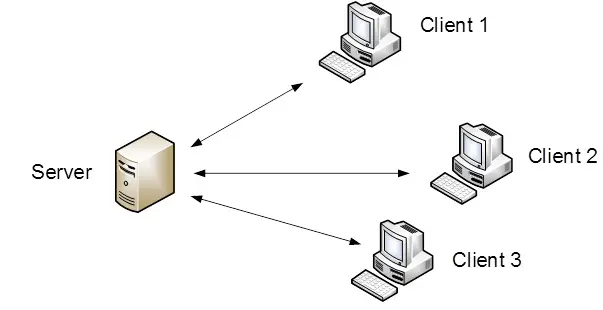
How to Configure a Client-Server Network.
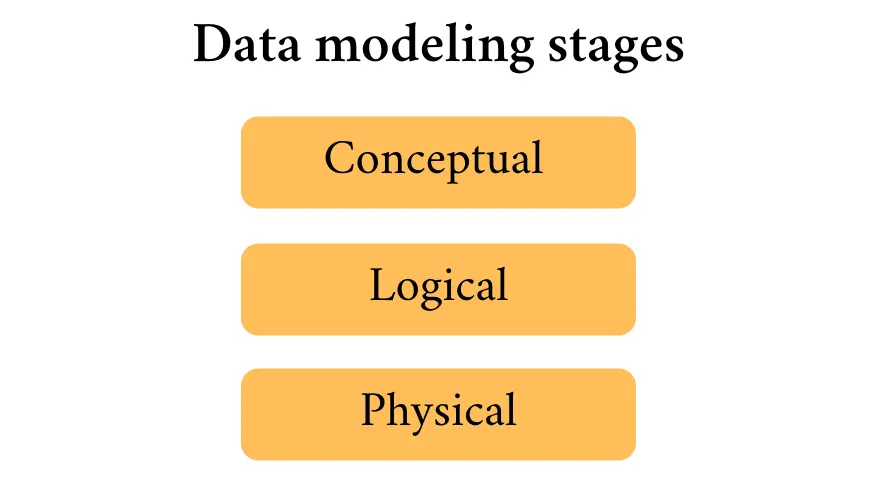
Three Types of Database Design: A Complete Guide for Beginners.
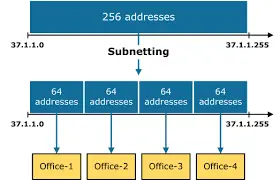
IP Address and Subnetting Explained for Beginners.

I’m committed to providing tailored solutions and always ready to assist if any issue arises.